Mobile PDF toolkit for on-device editing and document control
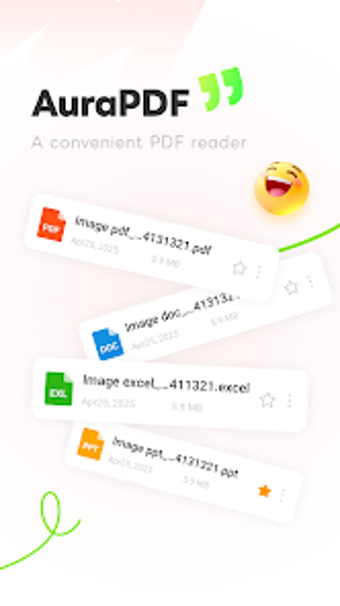
Experience AuraPDF, by ULA LIMITED, a mobile PDF toolkit for Android that handles viewing and editing of documents. It reads, edits, converts, and organizes PDF and office files locally, offering page-level manipulation and export options for quick workflows. The feature set includes in-app editing, two-way image conversion, merge and split tools, camera scanning, and file compression. Students, office professionals, and freelancers gain a compact document workflow for on-the-go tasks.
How AuraPDF keeps document processing on the device
AuraPDF is built around local processing, explicitly designed with a privacy-centric approach that avoids mandatory cloud uploads. The app includes a full offline engine so most editing, conversion, and organization tasks run without network access, which suits use in areas with unreliable coverage. This on-device focus reduces external data transfers and keeps file handling confined to the mobile device.
Does the app stay light on modern Android devices?
The app targets mobile performance with a clean interface and a high-speed document reader, traits that the developer says are optimized for mobile productivity. User feedback cited fast performance and ease of use, and the developer provides regular updates to maintain compatibility with current Android builds. Those points suggest it is intended to run efficiently on typical Android hardware without forcing heavy background processes.
Is it safe to edit and secure PDFs on your phone?
Security tools are included
Who benefits most from this mobile toolkit?
The app suits mobile-first document workflows. It is positioned for students, office professionals, freelancers, and remote workers who need to manage paperwork away from a desktop. The developer, ULA, maintains other productivity tools such as Aura File Reader and AuraCleaner, indicating a focus on compact Android utilities. Practical mobile users who prefer consolidated tools over multiple separate apps gain the most value.
Practical mobile document tool with a clear mobile focus
AuraPDF is a practical option for students and professionals who need on-device document handling and privacy-focused workflows. Its local-processing design and compact toolset make it well suited to offline and mobile work. The single main caveat is that users with heavy, desktop-oriented production needs should expect to continue using dedicated desktop software for complex layouts or large-scale document projects.